PROFESSIONAL AND RECRUITMENT FLOW
Recruiter messages app flow
A professional and recruitment flow in 6 screens, from inbox with filters to block or mute. Start your app from it, and your agent draws it on your own design system.
- 6 screens
- 6 patterns
- Mobile and desktop
- Brand: Rekan (made up)
The screens, in order
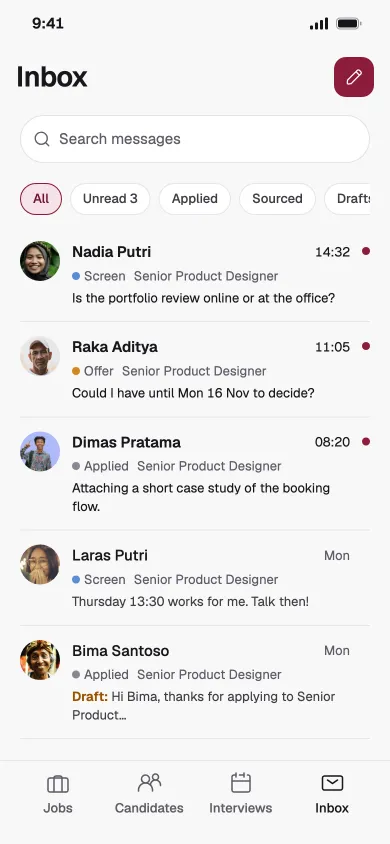
- Inbox with filters
- Thread with suggested repliesPro
- New message from a templatePro
- Outreach limit reachedPro
- Decline politelyPro
- Block or mutePro
See all 6 screens, at mobile and desktop.Pro opens the whole flow in your Universe, with the prompt and code for each screen.
Upgrade to ProAlready Pro? Open in UniverseWhen to use it
USE WHEN
A recruiter talks to candidates inside the hiring tool, with the job and stage beside every conversation, templates for repeated messages and a limit on cold outreach.
AVOID WHEN
The chat is between friends or buyers and sellers (use Social › Chatting and messages), or the only message is a status email the system sends (use Application tracking).
Patterns and why they work
6 decisions this flow makes, and the clarity each one buys.
Job and stage on every conversation
Rina knows which hire a message is about before she opens it
Filter chips for the recruiter's real queues
Unread 3 matches the sidebar count
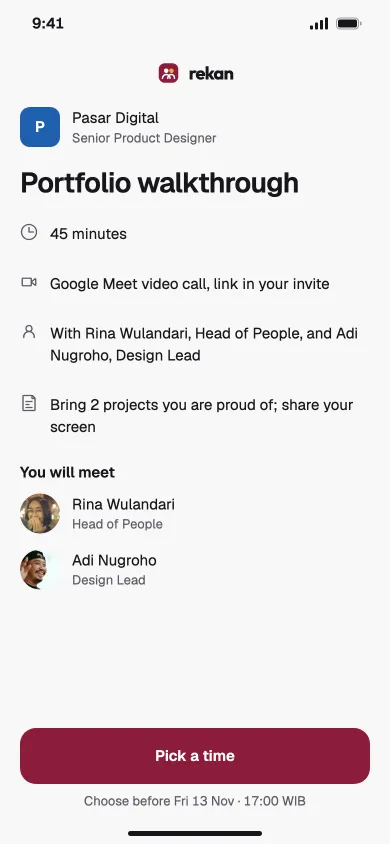
Suggested replies built from the interview facts
Answers come from data (Google Meet, 45 minutes, bring 2 projects)
Candidate rail with what is visible to whom
Current role, applied time and interview status beside the thread
Templates with filled fields listed under the message
The name, job and time that were filled in are shown as checks
Outreach limit that says what still works
20 of 20 used, resets Tue 1 Dec
Each pattern also has its psychology, the intuition behind it and what it rules out, plus layout notes for mobile and desktop.
Open in UniverseStates to cover
The screens people forget until a user hits them.
- Inbox
- Unread
- Filtered empty (no drafts)
- Thread
- Candidate typing
- Sent and read
- Attachment
- Suggested replies
- New message
- Template filled
- Missing template field
- Draft saved
- Send failed
- Candidate withdrew (read only)
- Outreach limit reached
- Plan upgraded
- Round 5 added: kind no from a template that also moves the candidate to Rejected
- Mute or block a candidate
Pairs with
The flows this one hands off to or comes back from.
More Professional and Recruitment flows
Drawn for the same brand, so they fit together.
Questions
- When should I use a recruiter messages flow?
- A recruiter talks to candidates inside the hiring tool, with the job and stage beside every conversation, templates for repeated messages and a limit on cold outreach. Use another pattern for the chat is between friends or buyers and sellers (use Social › Chatting and messages), or the only message is a status email the system sends (use Application tracking).
- Which screens does it need?
- This pattern uses 6: Inbox with filters, Thread with suggested replies, New message from a template, Outreach limit reached, Decline politely and Block or mute. Plan for these states too: inbox, unread, filtered empty (no drafts), thread.
- Is Rekan a real app?
- No. Rekan is a made-up hiring app: job search and apply for candidates; hiring pipeline, interview scheduling and offers for small companies in Jakarta, so the screens show the pattern without copying anyone's brand. Your agent redraws the flow on your own tokens and components.
- How does my agent use this flow?
- Connect Claude Code, Codex or Claude Desktop to Wonderblok over MCP. The agent calls use_pattern for this flow, reads its screens, rules and states, and draws them in your file.
- Is it free?
- Browsing Universe is free. Full pattern notes and use with your agent are part of Pro, and the Free plan opens a few flows in full each month.