PROFESSIONAL AND RECRUITMENT FLOW
Application tracking app flow
A professional and recruitment flow in 7 screens, from tracker grouped by stage to no update for a month. Start your app from it, and your agent draws it on your own design system.
- 7 screens
- 6 patterns
- Mobile and desktop
- Brand: Rekan (made up)
The screens, in order
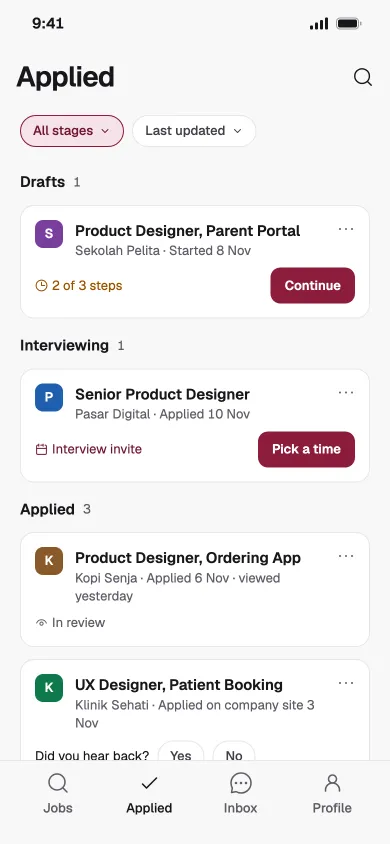
- Tracker grouped by stage
- Application detail with statusPro
- Update stage sheetPro
- Interview invite on cardPro
- Withdraw applicationPro
- Rejected with feedbackPro
- No update for a monthPro
See all 7 screens, at mobile and desktop.Pro opens the whole flow in your Universe, with the prompt and code for each screen.
Upgrade to ProAlready Pro? Open in UniverseWhen to use it
USE WHEN
Candidates apply to several jobs at once, in-app or externally, and wait days to weeks for replies.
AVOID WHEN
A single-employer portal where the candidate has one application (show a status page, not a tracker).
Patterns and why they work
6 decisions this flow makes, and the clarity each one buys.
Status card in plain sentences
Where it stands and who acts next
Drafts first with step progress
Unfinished work is visible
Stage sections with counts
Pipeline at a glance
Self-reported follow-up
Tracker stays accurate for external applies
Manual stage sheet
You own the status of external jobs
What-you-sent tab
Recall before an interview
Each pattern also has its psychology, the intuition behind it and what it rules out, plus layout notes for mobile and desktop.
Open in UniverseStates to cover
The screens people forget until a user hits them.
- Empty tracker
- Saved only
- Draft in progress
- Submitted pending
- Viewed by employer
- Interview invited
- Offer received
- Rejected with kind copy
- Withdrawn
- Job closed
- Auto-archived
- Stage sheet open
- "Did you hear back?" answered
- Detail drawer with status card
- Notification arrived
- Round 5 added: withdraw with a private reason
- Rejected with the employer's feedback
- No update for 36 days with a follow-up
Pairs with
The flows this one hands off to or comes back from.
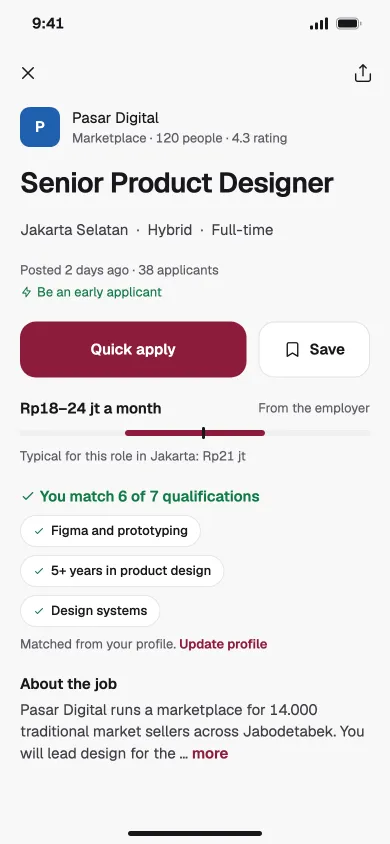
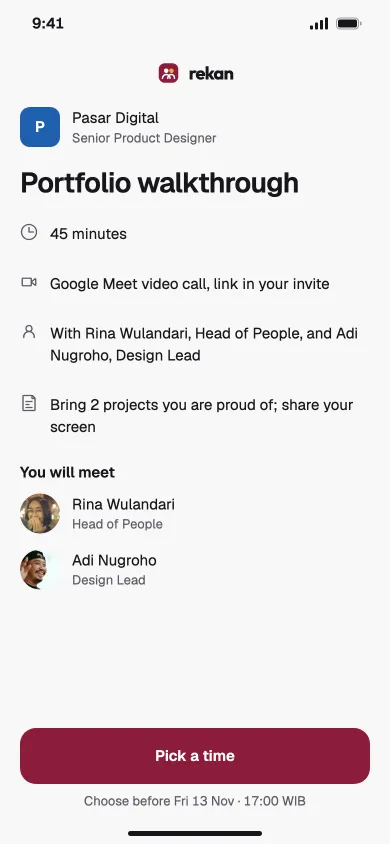
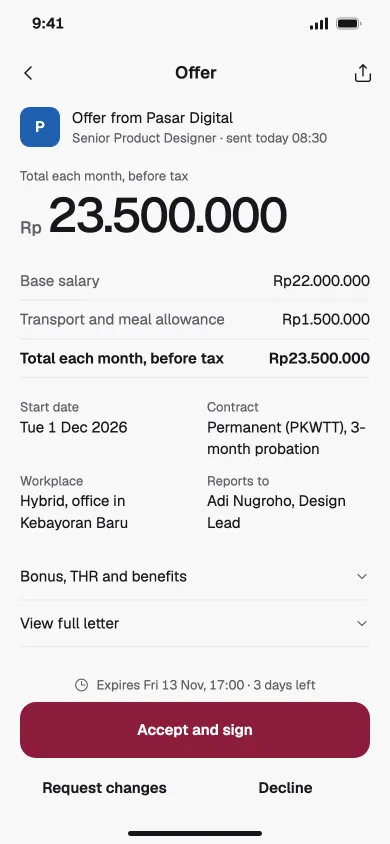
More Professional and Recruitment flows
Drawn for the same brand, so they fit together.
Questions
- When should I use a application tracking flow?
- Candidates apply to several jobs at once, in-app or externally, and wait days to weeks for replies. Use another pattern for a single-employer portal where the candidate has one application (show a status page, not a tracker).
- Which screens does it need?
- This pattern uses 7: Tracker grouped by stage, Application detail with status, Update stage sheet, Interview invite on card, Withdraw application, Rejected with feedback and No update for a month. Plan for these states too: empty tracker, saved only, draft in progress, submitted pending.
- Is Rekan a real app?
- No. Rekan is a made-up hiring app: job search and apply for candidates; hiring pipeline, interview scheduling and offers for small companies in Jakarta, so the screens show the pattern without copying anyone's brand. Your agent redraws the flow on your own tokens and components.
- How does my agent use this flow?
- Connect Claude Code, Codex or Claude Desktop to Wonderblok over MCP. The agent calls use_pattern for this flow, reads its screens, rules and states, and draws them in your file.
- Is it free?
- Browsing Universe is free. Full pattern notes and use with your agent are part of Pro, and the Free plan opens a few flows in full each month.