NEWS FLOW
Text size and reading settings app flow
A news flow in 4 screens, from article menu to reading settings in you. Start your app from it, and your agent draws it on your own design system.
- 4 screens
- 3 patterns
- Mobile and desktop
- Brand: Warta (made up)
The screens, in order
- Article menu
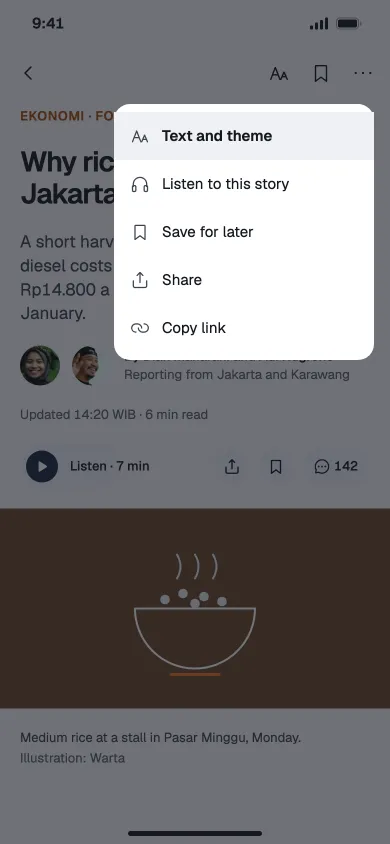
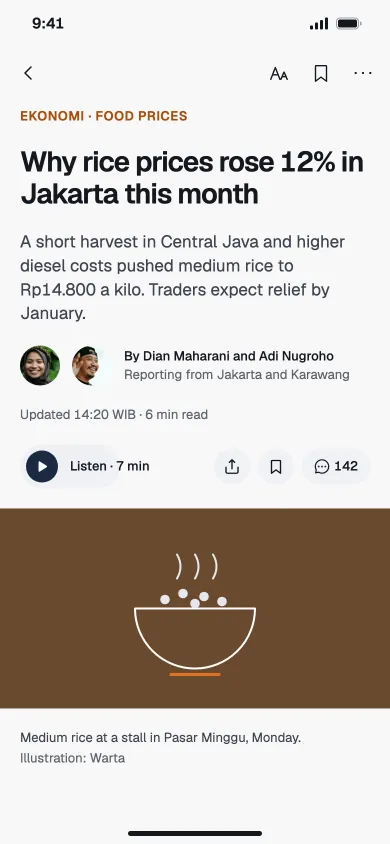
- Text and theme sheetPro
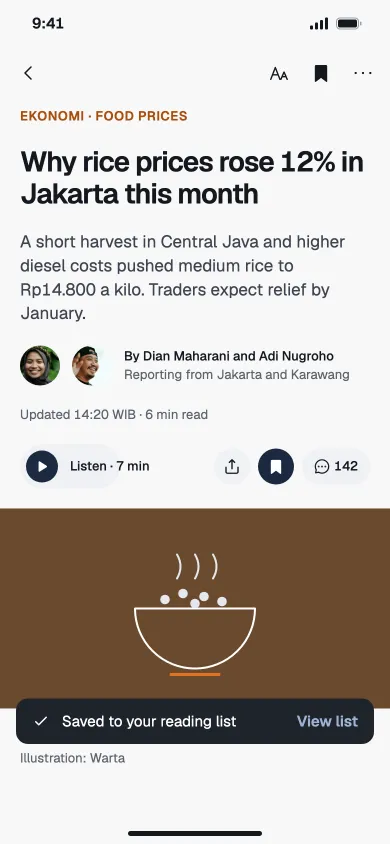
- Larger text appliedPro
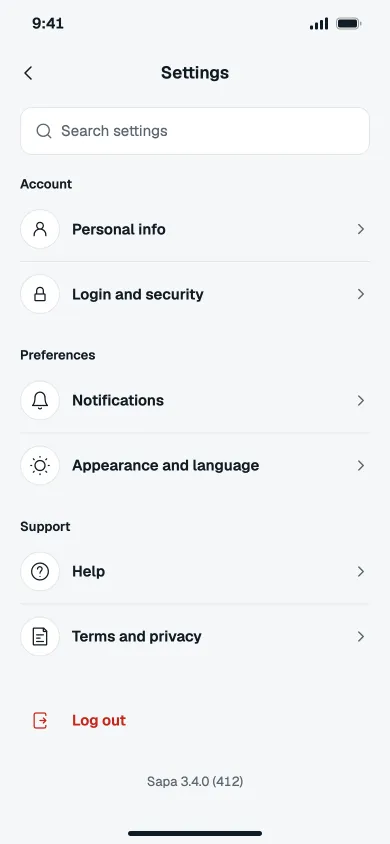
- Reading settings in YouPro
See all 4 screens, at mobile and desktop.Pro opens the whole flow in your Universe, with the prompt and code for each screen.
Upgrade to ProAlready Pro? Open in UniverseWhen to use it
USE WHEN
Readers who want bigger text, a different font or a darker page: the Aa menu on an article, a sheet with live preview, a result that sticks, and the same controls in You.
AVOID WHEN
Changing the phone's own text size (that is a system setting) or layout of the app chrome; reading settings change stories only.
Patterns and why they work
3 decisions this flow makes, and the clarity each one buys.
Preview before you commit
The sheet shows a real headline and sentence at the chosen size
One switch for all articles
Use for all articles is a visible row with its reason
A way home
Reset to standard sits at the top of the sheet and on the settings page
Each pattern also has its psychology, the intuition behind it and what it rules out, plus layout notes for mobile and desktop.
Open in UniverseStates to cover
The screens people forget until a user hits them.
- Standard size
- Larger size
- Dark theme
- Use for all articles on
- Reset to standard
- Saved and synced to 2 devices
- System text size larger than Largest is clamped
Pairs with
The flows this one hands off to or comes back from.
More News flows
Drawn for the same brand, so they fit together.
Questions
- When should I use a text size and reading settings flow?
- Readers who want bigger text, a different font or a darker page: the Aa menu on an article, a sheet with live preview, a result that sticks, and the same controls in You. Use another pattern for changing the phone's own text size (that is a system setting) or layout of the app chrome; reading settings change stories only.
- Which screens does it need?
- This pattern uses 4: Article menu, Text and theme sheet, Larger text applied and Reading settings in You. Plan for these states too: standard size, larger size, dark theme, use for all articles on.
- Is Warta a real app?
- No. Warta is a made-up daily news app and site: front page, articles, live coverage, topics and For You, saved stories and audio, subscriptions and newsletters, alerts, so the screens show the pattern without copying anyone's brand. Your agent redraws the flow on your own tokens and components.
- How does my agent use this flow?
- Connect Claude Code, Codex or Claude Desktop to Wonderblok over MCP. The agent calls use_pattern for this flow, reads its screens, rules and states, and draws them in your file.
- Is it free?
- Browsing Universe is free. Full pattern notes and use with your agent are part of Pro, and the Free plan opens a few flows in full each month.