COMMERCE FLOW
Product listing grid app flow
A commerce flow in 5 screens, from category grid to offline. Start your app from it, and your agent draws it on your own design system.
- 5 screens
- 3 patterns
- Mobile and desktop
- Brand: Mampir (made up)
The screens, in order
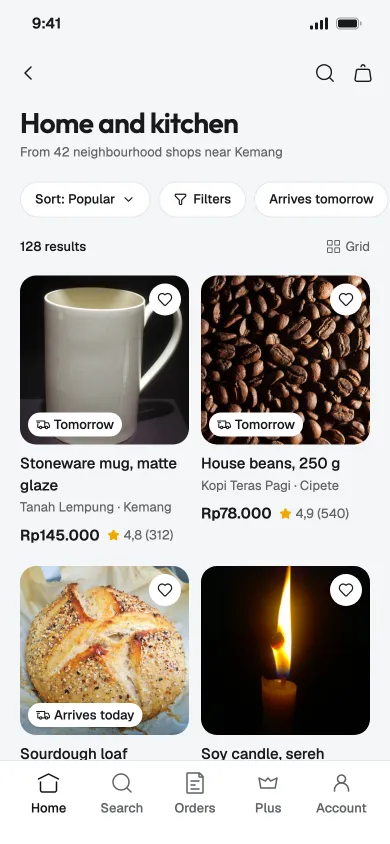
- Category grid
- Filter sheetPro
- LoadingPro
- No resultsPro
- OfflinePro
See all 5 screens, at mobile and desktop.Pro opens the whole flow in your Universe, with the prompt and code for each screen.
Upgrade to ProAlready Pro? Open in UniverseWhen to use it
USE WHEN
A category of many products people compare by eye: a photo grid with price, rating and delivery on each card, sort and filters that show how many items they leave.
AVOID WHEN
Searching by typing (use Commerce › Search and filter products), a shop's own front page (use Commerce › Shop home and categories) or a list where text matters more than the picture.
Patterns and why they work
3 decisions this flow makes, and the clarity each one buys.
The filter button tells the count: Show 46 results, before the sheet closes. People adjust filters until the number looks right instead of guessing and landing on an empty page
Applied filters stay visible as chips with an x, plus Clear all. Users forget what they turned on; seeing each filter and removing one with a tap is the quickest way back from too few results
No results names the cause and the nearest fix: remove Cikini shows 12, remove 4,5 and up shows 3. A dead end that says which filter to drop keeps people browsing instead of leaving
Each pattern also has its psychology, the intuition behind it and what it rules out, plus layout notes for mobile and desktop.
Open in UniverseStates to cover
The screens people forget until a user hits them.
- Category grid
- Filter sheet
- Loading skeleton grid
- No results with one filter to remove and nearby categories
- Offline with the filters kept and recently viewed items
- Search inside the category is in Commerce › Search and filter products
Pairs with
The flows this one hands off to or comes back from.
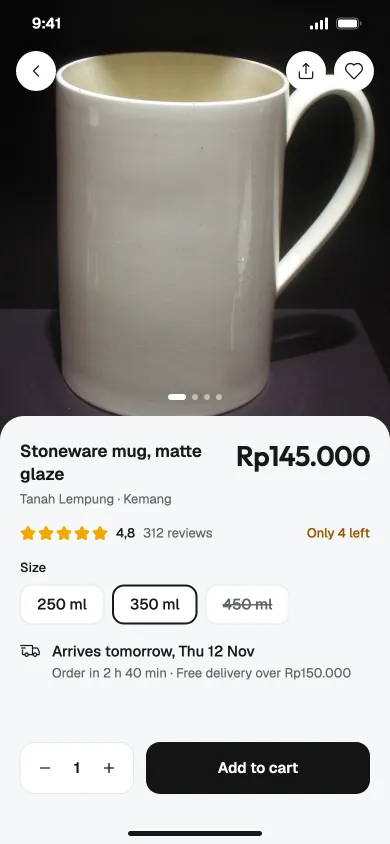
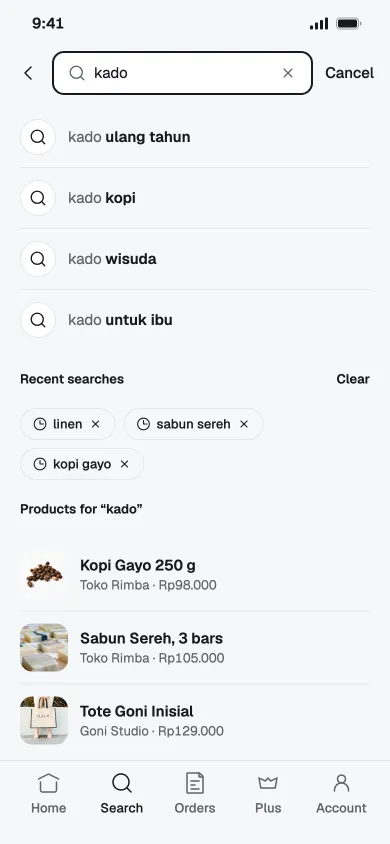
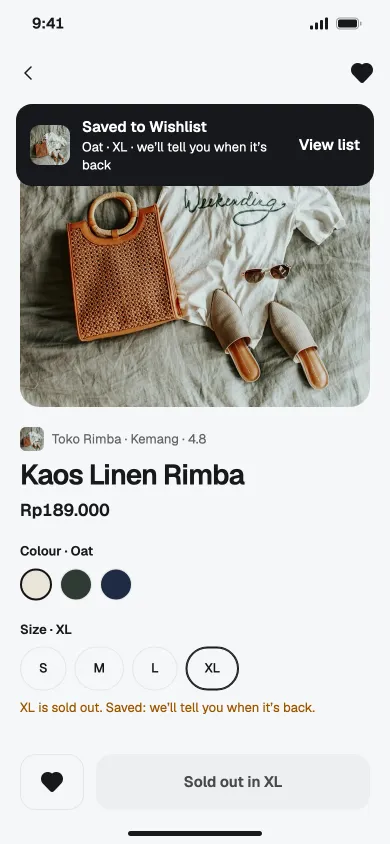
More Commerce flows
Drawn for the same brand, so they fit together.
Questions
- When should I use a product listing grid flow?
- A category of many products people compare by eye: a photo grid with price, rating and delivery on each card, sort and filters that show how many items they leave. Use another pattern for searching by typing (use Commerce › Search and filter products), a shop's own front page (use Commerce › Shop home and categories) or a list where text matters more than the picture.
- Which screens does it need?
- This pattern uses 5: Category grid, Filter sheet, Loading, No results and Offline. Plan for these states too: category grid, filter sheet, loading skeleton grid, no results with one filter to remove and nearby categories.
- Is Mampir a real app?
- No. Mampir is a made-up neighbourhood marketplace: order, book, subscribe, so the screens show the pattern without copying anyone's brand. Your agent redraws the flow on your own tokens and components.
- How does my agent use this flow?
- Connect Claude Code, Codex or Claude Desktop to Wonderblok over MCP. The agent calls use_pattern for this flow, reads its screens, rules and states, and draws them in your file.
- Is it free?
- Browsing Universe is free. Full pattern notes and use with your agent are part of Pro, and the Free plan opens a few flows in full each month.