MUSIC AND VIDEO FLOW
Artist page app flow
A music and video flow in 5 screens, from artist header and popular to follow and new release alerts. Start your app from it, and your agent draws it on your own design system.
- 5 screens
- 6 patterns
- Mobile and desktop
- Brand: Siaran (made up)
The screens, in order
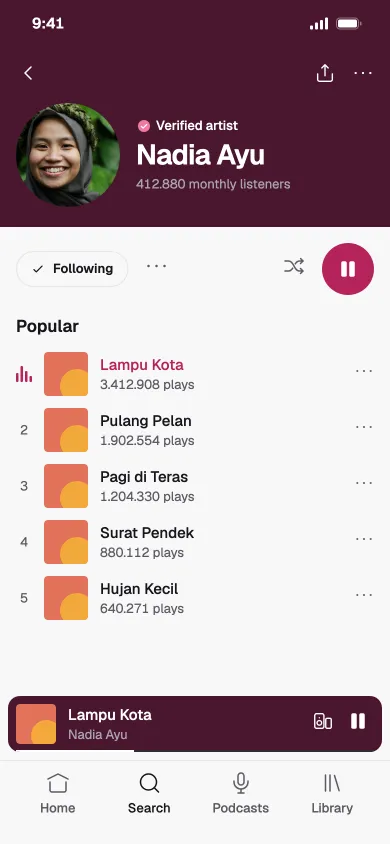
- Artist header and popular
- DiscographyPro
- About tour and fansPro
- New artistPro
- Follow and new release alertsPro
See all 5 screens, at mobile and desktop.Pro opens the whole flow in your Universe, with the prompt and code for each screen.
Upgrade to ProAlready Pro? Open in UniverseWhen to use it
USE WHEN
A listener lands on a person or band (from search, a track row, now playing credits or Fans also like) and wants their popular songs, releases, shows and similar artists in one place.
AVOID WHEN
The creator is a podcast host or show (use Podcasts and episodes, Show page) or the page is one release (use Now playing and mini player, Album with mini player).
Patterns and why they work
6 decisions this flow makes, and the clarity each one buys.
Header with photo, verified badge and monthly listeners
Whose page this is and how big they are
One action row with the play circle as the only filled control
Play is the main thing to do
Popular tracks with play counts and the playing row marked
Where to start
Discography filtered by type with Appears on kept separate
Albums, singles and EPs read apart
About with stats, where people listen and tour dates with Tickets
Who they are and where to see them
New artist state that hides empty sections
One release shown big, no empty Popular list
Each pattern also has its psychology, the intuition behind it and what it rules out, plus layout notes for mobile and desktop.
Open in UniverseStates to cover
The screens people forget until a user hits them.
- Following and not following
- Playing from this artist
- Verified and unverified
- Artist pick
- Discography filtered by type
- Appears on
- About with stats
- On tour with tickets
- No events
- One release only
- Fans also like hidden until there are enough listeners
- Share sheet
- Round 5 added: following a new artist with the new release alerts sheet (screen 5)
Pairs with
The flows this one hands off to or comes back from.
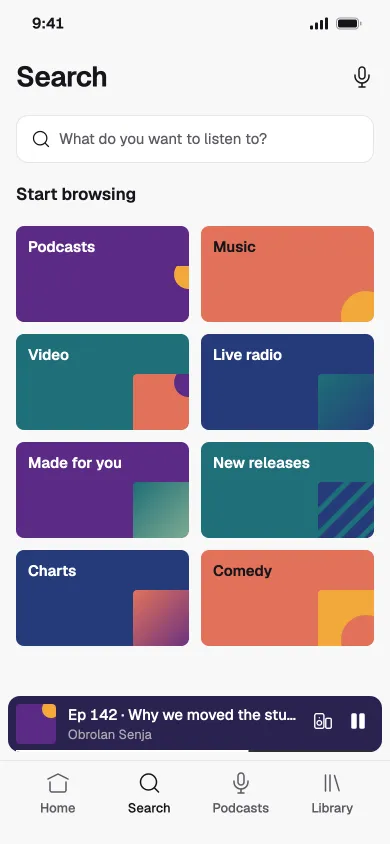
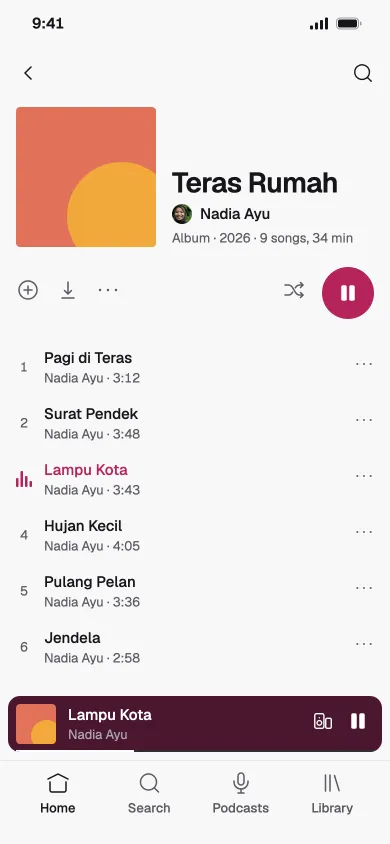
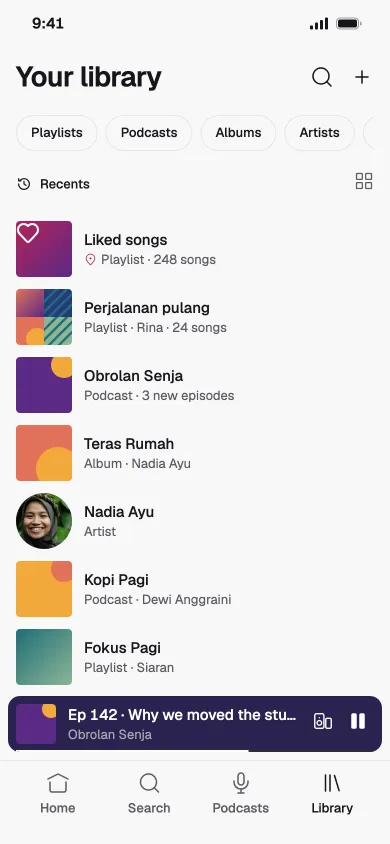
More Music and Video flows
Drawn for the same brand, so they fit together.
Questions
- When should I use a artist page flow?
- A listener lands on a person or band (from search, a track row, now playing credits or Fans also like) and wants their popular songs, releases, shows and similar artists in one place. Use another pattern for the creator is a podcast host or show (use Podcasts and episodes, Show page) or the page is one release (use Now playing and mini player, Album with mini player).
- Which screens does it need?
- This pattern uses 5: Artist header and popular, Discography, About tour and fans, New artist and Follow and new release alerts. Plan for these states too: following and not following, playing from this artist, verified and unverified, artist pick.
- Is Siaran a real app?
- No. Siaran is a made-up listening app: podcasts first, with music and video in one player, Indonesian shows and artists, so the screens show the pattern without copying anyone's brand. Your agent redraws the flow on your own tokens and components.
- How does my agent use this flow?
- Connect Claude Code, Codex or Claude Desktop to Wonderblok over MCP. The agent calls use_pattern for this flow, reads its screens, rules and states, and draws them in your file.
- Is it free?
- Browsing Universe is free. Full pattern notes and use with your agent are part of Pro, and the Free plan opens a few flows in full each month.